设置版本控制
¥Setting up versioning
Material for MkDocs 通过与外部实用程序(例如mike )集成,可以轻松部署项目文档的多个版本,这些实用程序将这些功能添加到 MkDocs。部署新版本时,旧版本的文档将保持不变。
¥Material for MkDocs makes it easy to deploy multiple versions of your project documentation by integrating with external utilities that add those capabilities to MkDocs, i.e. mike. When deploying a new version, older versions of your documentation remain untouched.
配置
¥Configuration
版本控制
¥Versioning
7.0.0 mike示例-版本控制
¥7.0.0 mike example-versioning
mike可以轻松部署项目文档的多个版本。它与 Material for MkDocs 原生集成,可通过mkdocs.yml启用:
¥mike makes it easy to deploy multiple versions of your project documentation. It integrates natively with Material for MkDocs and can be enabled via mkdocs.yml:
这会在标题中呈现一个版本选择器:
¥This renders a version selector in the header:
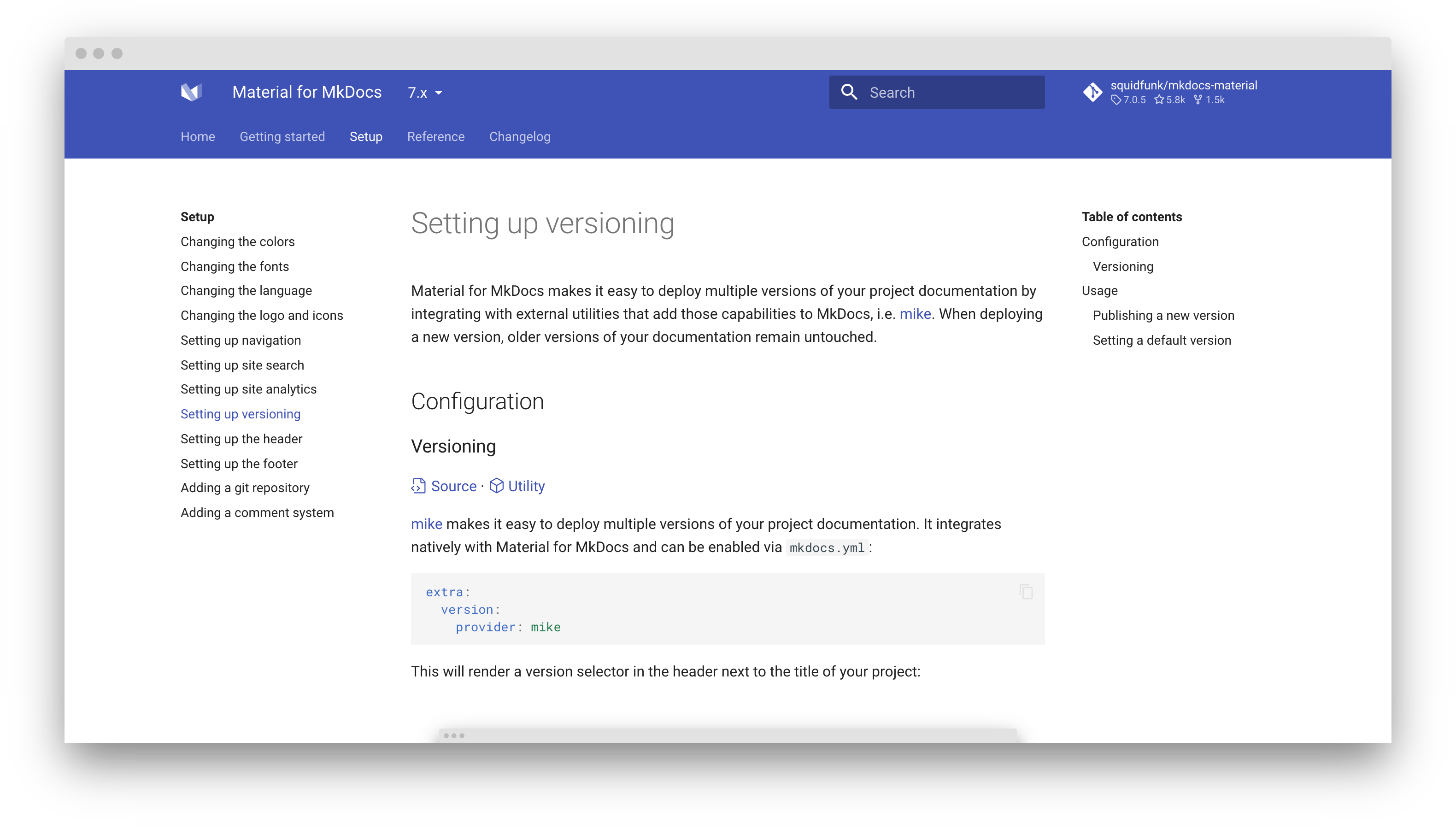
查看版本控制示例以了解其实际作用 - mkdocs-material.github.io/example-versioning
¥Check out the versioning example to see it in action – mkdocs-material.github.io/example-versioning
mike 的构建理念是:一旦为某个版本生成了文档,就无需再修改该版本。这意味着您无需担心 MkDocs 中的重大更改,因为您的旧文档(使用旧版本 MkDocs 构建)已经生成并保存在您的gh-pages分支中。
¥mike is built around the idea that once you've generated your docs for a particular version, you should never need to touch that version again. This means you never have to worry about breaking changes in MkDocs, since your old docs (built with an old version of MkDocs) are already generated and sitting in your gh-pages branch.
mike 虽然灵活,但它进行了优化,将文档放在<major>.<minor>目录中,并为特别重要的版本提供可选的别名(例如latest或dev )。这样,您可以轻松创建指向任何版本文档的永久链接,方便用户访问。
¥While mike is flexible, it's optimized around putting your docs in a <major>.<minor> directory, with optional aliases (e.g. latest or dev) to particularly notable versions. This makes it easy to make permalinks to whatever version of the documentation you want to direct people to.
切换版本时保持一致
¥Stay on the same page when switching versions
当用户在版本选择器中选择版本时,他们通常希望转到与先前查看的页面相对应的页面。Material for MkDocs 默认实现了此行为,但有一些注意事项:
¥When the user chooses a version in the version selector, they usually want to go to the page corresponding to the page they were previously viewing. Material for MkDocs implements this behavior by default, but there are a few caveats:
mkdocs.yml中的site_url必须正确设置。请参阅“发布新版本”部分的示例。¥the
site_urlmust be set correctly inmkdocs.yml. See the "Publishing a new version"重定向通过 JavaScript 进行,并且无法提前知道您将被重定向到哪个页面。
¥the redirect happens via JavaScript and there is no way to know which page you will be redirected to ahead of time.
版本警告
¥Version warning
8.0.0
如果您使用版本控制,则可能希望在用户访问除最新版本之外的任何其他版本时显示警告。使用主题扩展,您可以覆盖过时的块:
¥If you're using versioning, you might want to display a warning when the user visits any other version than the latest version. Using theme extension, you can override the outdated block:
{% extends "base.html" %}

{% block outdated %}
  You're not viewing the latest version.
  <a href="{{ '../' ~ base_url }}"> <!-- (1)! -->
    <strong>Click here to go to latest.</strong>
  </a>
{% endblock %}
指定
href属性的此值后,链接将始终重定向到您网站的根目录,然后再重定向到最新版本。这可确保您网站的旧版本不依赖于特定别名(例如latest),以便以后更改别名而不会破坏早期版本。¥Given this value for the
hrefattribute, the link will always redirect to the root of your site, which will then redirect to the latest version. This ensures that older versions of your site do not depend on a specific alias, e.g.latest, to allow for changing the alias later on without breaking earlier versions.
这将在标题上方显示版本警告:
¥This will render a version warning above the header:
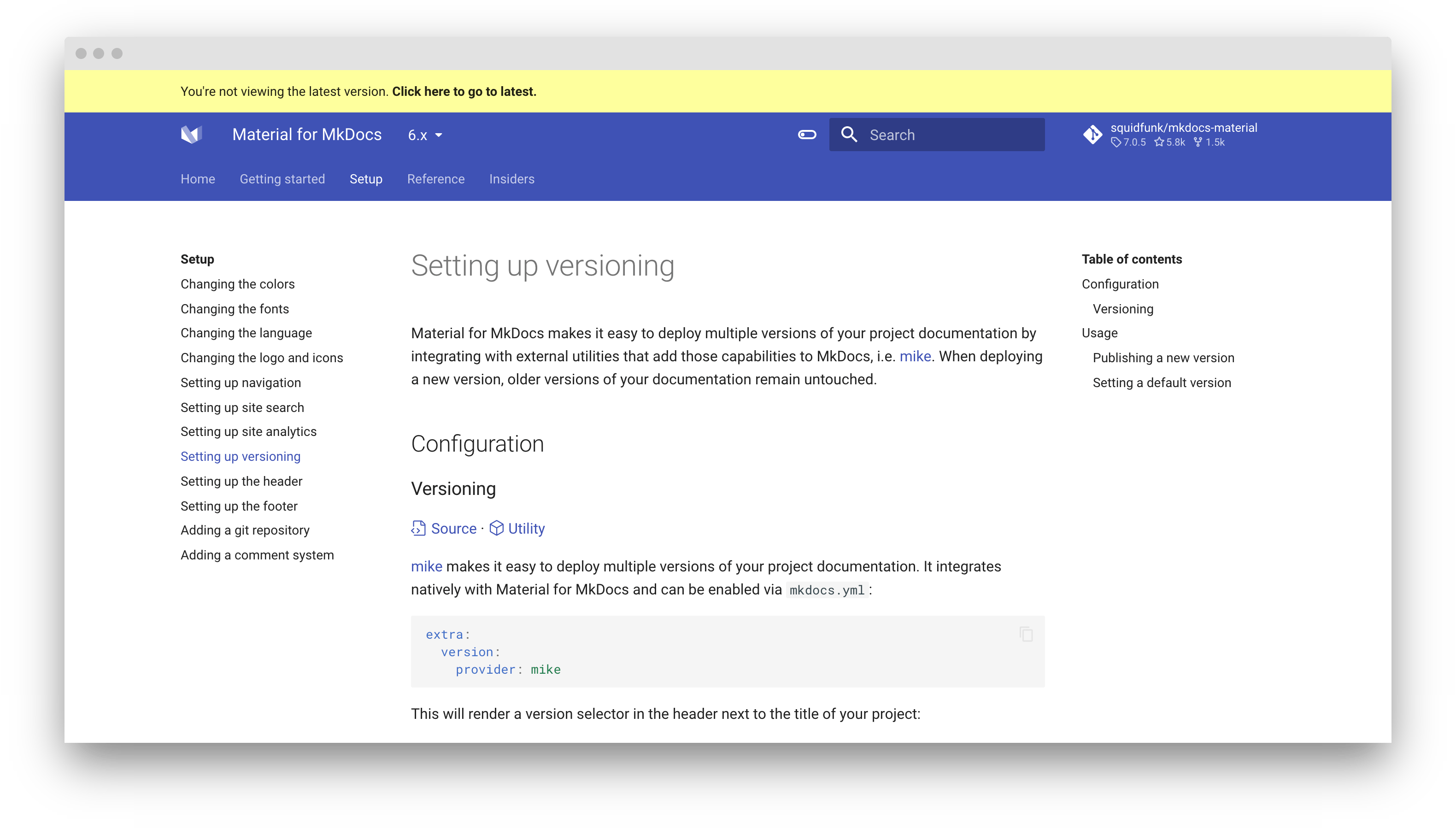
默认版本由latest别名标识。如果您希望将其他别名设置为最新版本,例如stable ,请在mkdocs.yml中添加以下几行:
¥The default version is identified by the latest alias. If you wish to set another alias as the latest version, e.g. stable, add the following lines to mkdocs.yml:
您还可以定义多个别名作为默认版本,例如
stable和development。extra: version: default: - stable - developmentextra: version: default: - stable - developmentextra: version: default: - stable - development额外:版本:默认: - 稳定- 开发现在每个具有stable和development别名的版本都不会显示版本警告。
确保一个别名与默认版本匹配,因为这是用户被重定向到的地方。
¥You can also define multiple aliases as the default version, e.g. stable and development.
版本别名
¥Version alias
9.5.23错误
¥Now every version that has the stable and development aliases will not display the version warning.
如果您使用别名进行版本控制,并且想要在版本号旁边显示版本别名,则可以通过将alias选项设置为true来启用此功能:
¥Make sure one alias matches the default version, as this is where users are redirected to.
用法
¥Usage
虽然本节概述了发布新版本的基本工作流程,但最好查看mike 的文档以熟悉其机制。
¥9.5.23 false
发布新版本
¥Publishing a new version
如果您想发布项目文档的新版本,请选择一个版本标识符,并使用以下内容更新设置为默认版本的别名:
¥If you're using aliases for versioning, and want to show the version alias besides the version number, you can enable this feature by setting the alias option to true:
请注意,每个版本都将部署为site_url的子目录,您需要明确设置该目录。例如,如果您的mkdocs.yml包含以下内容:
¥While this section outlines the basic workflow for publishing new versions, it's best to check out mike's documentation to make yourself familiar with its mechanics.
文档将发布到以下 URL:
¥If you want to publish a new version of your project documentation, choose a version identifier and update the alias set as the default version with:
docs.example.com/0.1/
¥docs.example.com/0.1/
docs.example.com/0.2/
¥docs.example.com/0.2/
...
¥...
设置默认版本
¥Setting a default version
当从mike开始时,一个好主意是将别名设置为默认版本,例如latest ,并且在发布新版本时,始终更新别名以指向最新版本:
¥Note that every version will be deployed as a subdirectory of your site_url, which you should set explicitly. For example, if your mkdocs.yml contains:
发布新版本时, mike将在项目文档的根目录中创建到与别名关联的版本的重定向:
¥the documentation will be published to URLs such as:
docs.example.com docs.example.com/0.1
¥When starting with mike, a good idea is to set an alias as a default version, e.g. latest, and when publishing a new version, always update the alias to point to the latest version: