内容标签
¥Content tabs
有时,需要将可选内容分组到不同的选项卡下,例如,描述如何从不同的语言或环境访问 API 时。Material for MkDocs 允许创建美观实用的选项卡,对代码块和其他内容进行分组。
¥Sometimes, it's desirable to group alternative content under different tabs, e.g. when describing how to access an API from different languages or environments. Material for MkDocs allows for beautiful and functional tabs, grouping code blocks and other content.
配置
¥Configuration
此配置启用内容选项卡,并允许在内容选项卡内嵌套任意内容,包括代码块和……更多内容选项卡!将以下几行添加到mkdocs.yml :
¥This configuration enables content tabs, and allows to nest arbitrary content inside content tabs, including code blocks and ... more content tabs! Add the following lines to mkdocs.yml:
查看其他配置选项:
¥See additional configuration options:
锚链接
¥Anchor links
9.5.0
为了链接到内容选项卡并更轻松地共享它们,每个内容选项卡都会自动添加一个锚链接,您可以通过右键单击复制该链接或在新选项卡中打开该链接:
¥In order to link to content tabs and share them more easily, an anchor link is automatically added to each content tab, which you can copy via right click or open in a new tab:
您可以复制标签页的链接,并在同一页面或任何其他页面上创建链接。例如,您可以跳转到本段上方的第三个标签页,或跳转到Insiders 的发布指南。
¥You can copy the link of the tab and create a link on the same or any other page. For example, you can jump to the third tab above this paragraph or to the publishing guide for Insiders.
可读的锚链接
¥Readable anchor links
Python Markdown Extensions 9.6 新增了对内容标签页slugify的支持,这将使锚链接看起来更美观、更易读。使用以下代码启用 slugify 函数:
¥Python Markdown Extensions 9.6 adds support for slugification of content tabs, which produces nicer looking and more readable anchor links. Enable the slugify function with the following lines:
markdown_extensions:
  - pymdownx.tabbed:
      slugify: !!python/object/apply:pymdownx.slugs.slugify
        kwds:
          case: lower
更多信息请参阅扩展指南。
¥Fore more information, please see the extension guide.
链接内容标签
¥Linked content tabs
8.3.0
启用后,整个文档站点的所有内容选项卡都将被链接,并在用户点击选项卡时切换到相同的标签。将以下几行添加到mkdocs.yml中:
¥When enabled, all content tabs across the whole documentation site will be linked and switch to the same label when the user clicks on a tab. Add the following lines to mkdocs.yml:
内容选项卡基于其标签而非偏移量进行链接。这意味着,当用户点击内容选项卡时,所有具有相同标签的选项卡都将被激活,无论其在容器内的顺序如何。此外,此功能与即时加载功能完全集成,并在页面加载过程中持续生效。
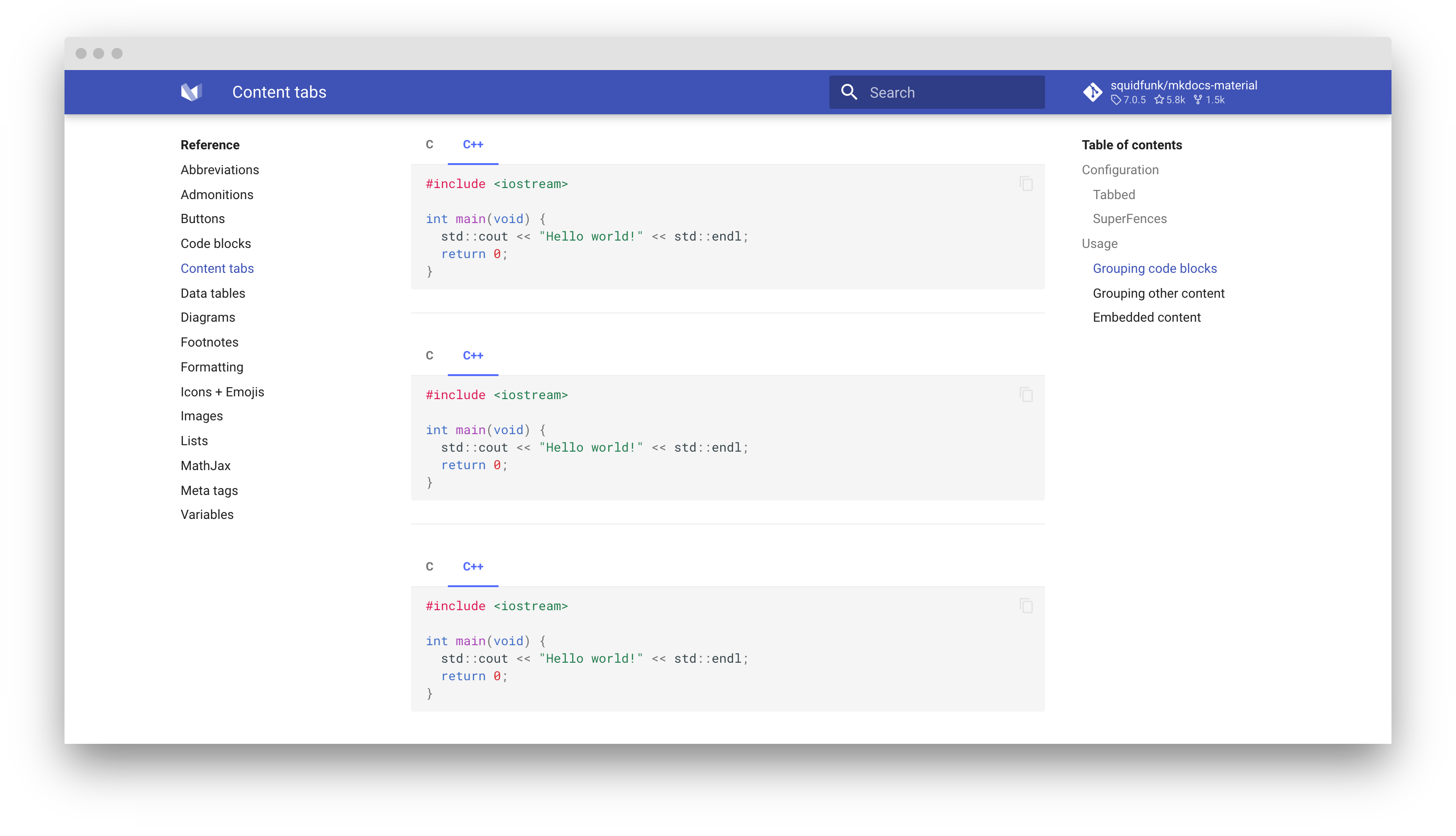
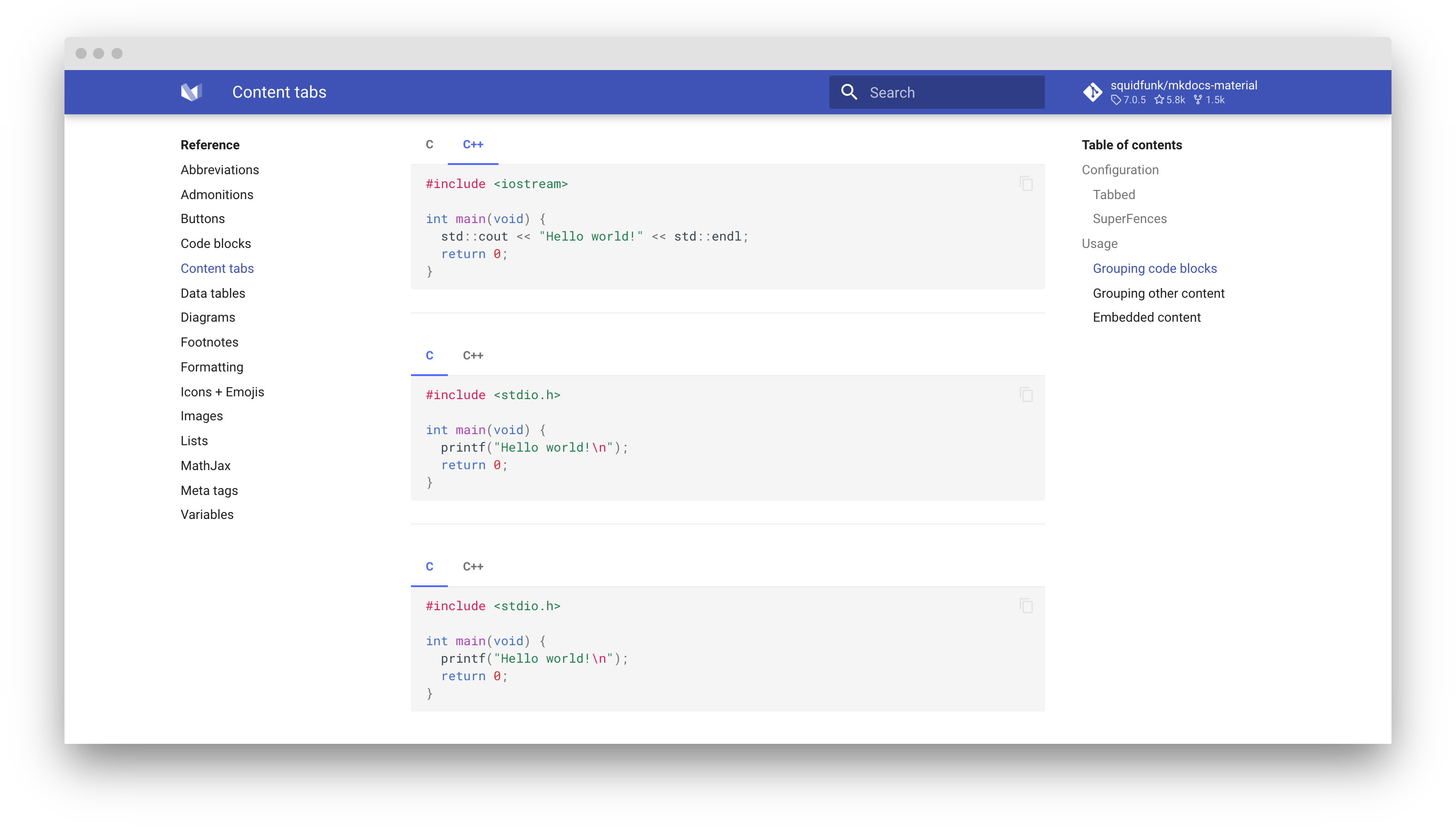
¥Content tabs are linked based on their label, not offset. This means that all tabs with the same label will be activated when a user clicks a content tab regardless of order inside a container. Furthermore, this feature is fully integrated with instant loading and persisted across page loads.
用法
¥Usage
分组代码块
¥Grouping code blocks
代码块是分组的主要目标之一,可以视为内容选项卡的特殊情况,因为具有单个代码块的选项卡始终呈现为没有水平间距:
¥Code blocks are one of the primary targets to be grouped, and can be considered a special case of content tabs, as tabs with a single code block are always rendered without horizontal spacing:
=== "C"

    ``` c
    #include <stdio.h>

    int main(void) {
      printf("Hello world!\n");
      return 0;
    }
    ```

=== "C++"

    ``` c++
    #include <iostream>

    int main(void) {
      std::cout << "Hello world!" << std::endl;
      return 0;
    }
    ```
对其他内容进行分组
¥Grouping other content
当内容选项卡包含多个代码块时,它将以水平间距呈现。垂直间距永远不会添加,但可以通过将选项卡嵌套在其他块中来实现:
¥When a content tab contains more than one code block, it is rendered with horizontal spacing. Vertical spacing is never added, but can be achieved by nesting tabs in other blocks:
=== "Unordered list"

    * Sed sagittis eleifend rutrum
    * Donec vitae suscipit est
    * Nulla tempor lobortis orci

=== "Ordered list"

    1. Sed sagittis eleifend rutrum
    2. Donec vitae suscipit est
    3. Nulla tempor lobortis orci
箭叶松
¥Sed sagittis eleifend rutrum
生命终结者
¥Donec vitae suscipit est
颞叶无疣
¥Nulla tempor lobortis orci
箭叶松
¥Sed sagittis eleifend rutrum
生命终结者
¥Donec vitae suscipit est
颞叶无疣
¥Nulla tempor lobortis orci
嵌入内容
¥Embedded content
启用SuperFences后,内容选项卡可以包含任意嵌套内容,包括进一步的内容选项卡,并且可以嵌套在其他块中,如警告或块引用:
¥When SuperFences is enabled, content tabs can contain arbitrary nested content, including further content tabs, and can be nested in other blocks like admonitions or blockquotes: